Appearance
Financing
Purpose
Financing is the credit desk: applications, status, lender, and a detail sheet. Search and status chips narrow the queue.
Where to open it
Portal path: /financing
Nav: Financing
Page title: Financing
Who can use it
Administrator, Sales manager, and Finance. Sales rep and Viewer do not see Financing.
Video tour
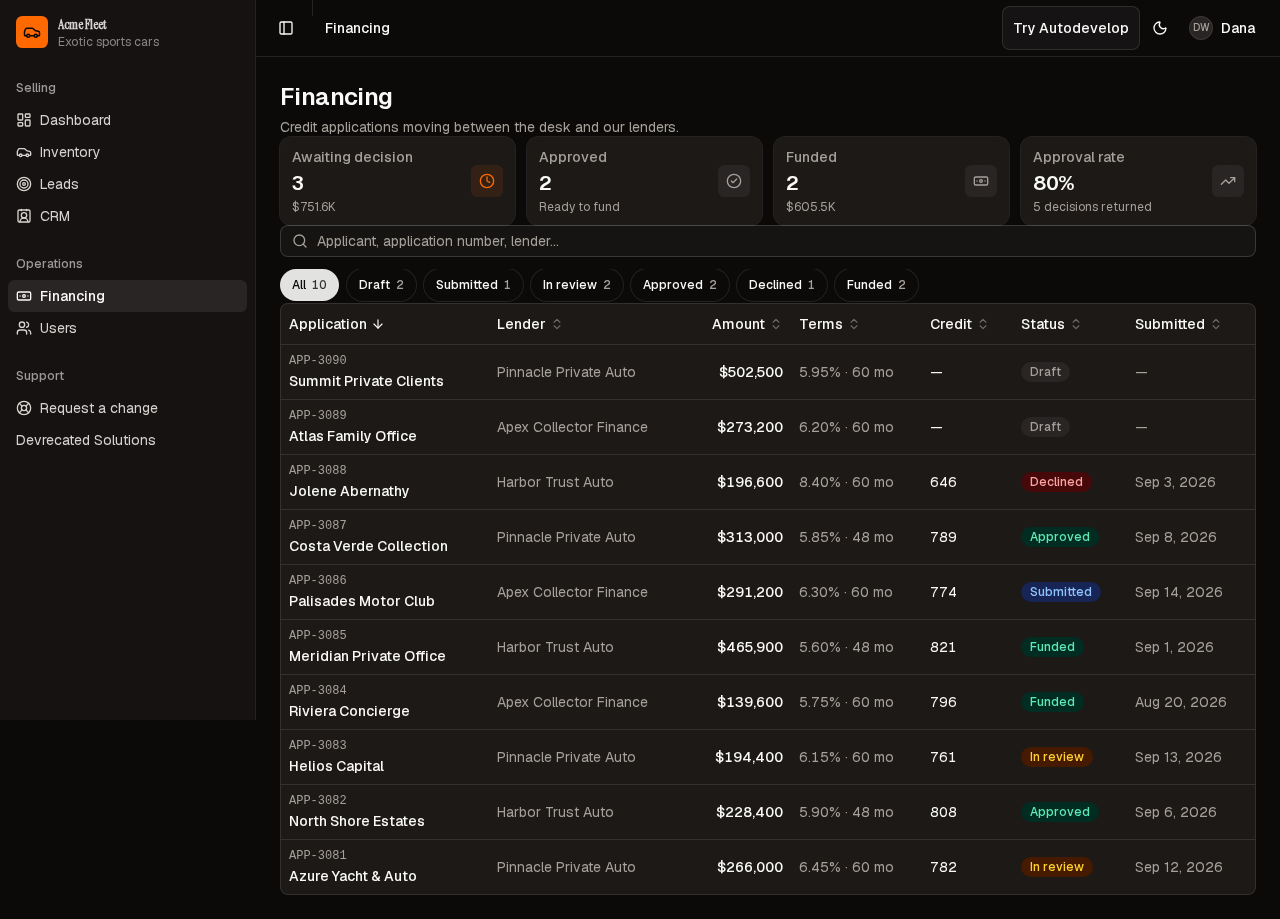
Applications table — search, status chips, seeded rows.
Step-by-step
- Open Financing (
/financing). - Wait for application rows.
- Filter by status when you are working a queue.
- Open a row for the sheet. Edit only with financing.edit.
Actions reference
| Action | Where in UI | Notes |
|---|---|---|
| Search | Toolbar | Applicant, number, lender |
| Status chips | Under search | Draft through Funded |
Tips
- In review is the live queue. Funded is history.
Look out for
You should see applications such as Azure Yacht & Auto and status chips including In review. Header stats load with the table.
See also
- Dashboard — Awaiting credit on the home screen